Introduction
Every time you add a feature, the existing code becomes a little harder to read. Have you ever felt this? Clutter does not appear all at once; it is born from each “I’ll fix it later” piling up. And the more it piles up, the more cost you pay with every change.
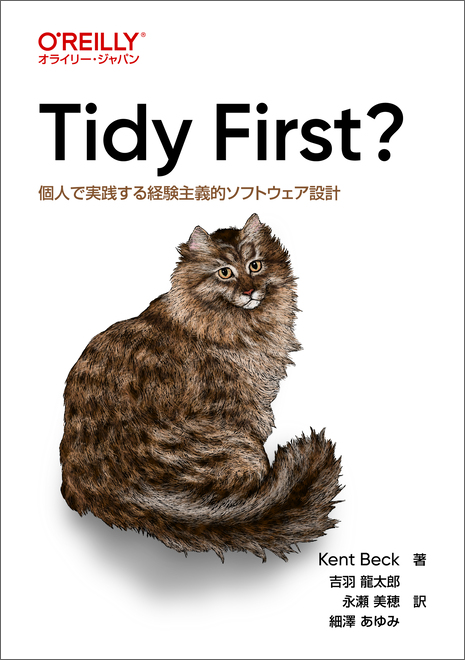
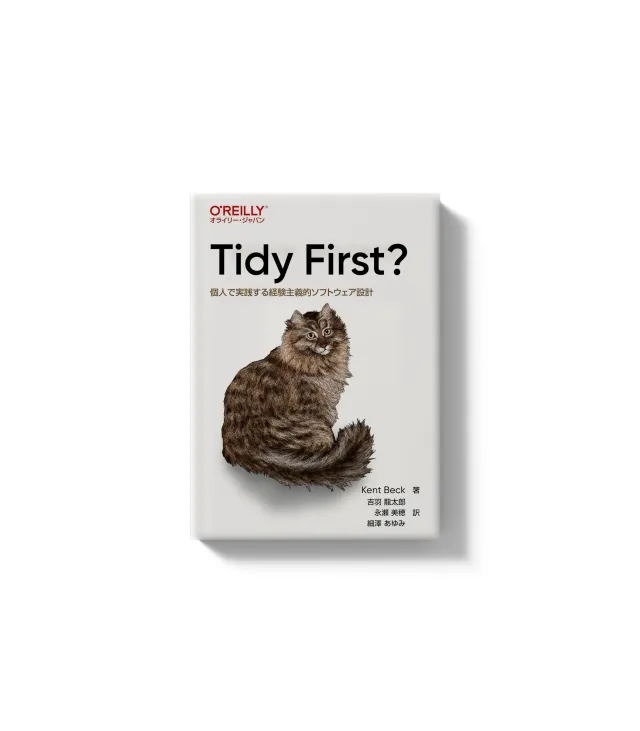
In this post, I organize how to keep tidying part of daily work so that clutter does not pile up, along with actual code examples. The underlying framework is Kent Beck’s “Tidy First?”
Separate Structural Changes From Behavioral Changes
The starting point is to view changes to code as two kinds.
- Behavioral change: changes the system’s operation itself. Adding features or fixing bugs falls here
- Structural change: rearranges or reshapes code without changing operation. This is what we call tidying, or refactoring
Just consciously separating these two makes daily work much clearer. For example, when you feel during a pull request review that “this change does not alter functionality, yet the diff is so large I cannot tell what is going on,” it is usually because structural changes and behavioral changes are mixed in the same commit.
Tidying is done as preparation to make the next behavioral change easier. It is positioned not as “for the far distant future,” but as an investment to meet immediate needs.
From the Catalog of Tidyings, the Ones That Work in Practice
There are many tidying techniques, but here I list the ones I have found especially effective in practice, with concrete examples.
Handle Preconditions First With Guard Clauses
This is a technique for dispatching the preconditions that must be met at the top, before getting into the details of the code. When nesting is deep, just tracking which condition you are currently inside makes the reader use up brainpower.
# before: the main logic is buried deep inside nested conditions
def apply_discount(user, price):
    if user is not None:
        if user.is_active:
            if price > 0:
                return price * 0.9
    return price
# after: return the exceptional cases first, flattening the main logic
def apply_discount(user, price):
if user is None:
return price
if not user.is_active:
return price
if price <= 0:
return price
return price * 0.9Since the main logic comes at the shallowest indentation, it becomes easier to read “what this function ultimately does.”
Delete Dead Code
Code that never runs simply gets deleted. Code left “just in case we use it someday” forces the reader into the extra work of checking “is this alive?”
Let me add one thing I have felt strongly lately. When you have AI write code, it may assemble the logic looking only at partial context, and as a result dead code can slip in. Unreachable branches, functions never called again, variables declared but never used, and so on.
The countermeasure is simple: after having AI write code, run it through the AI itself or a human review once more. Just separating “writing” and “inspecting” into distinct steps cuts dead code considerably. Since we have version control, if deleting causes trouble you can always revert.
Leave Intent With Explaining Variables and Explaining Constants
Left alone, expressions grow. A conditional that started small gets terms added each time requirements grow, until eventually you cannot read it at a glance. So an explaining variable writes back into the code the meaning you worked hard to decipher.
# before: you cannot tell what the condition means without deciphering it
if user.created_at < timezone.now() - timedelta(days=365) and user.orders.count() > 10:
    grant_loyal_customer_badge(user)
# after: give the condition itself a name
is_long_term_user = user.created_at < timezone.now() - timedelta(days=365)
is_frequent_buyer = user.orders.count() > 10
if is_long_term_user and is_frequent_buyer:
grant_loyal_customer_badge(user)With the same idea, for numbers written directly in code, the so-called magic numbers, give them names with explaining constants.
# before
if len(password) < 8:
    raise ValidationError('Password is too short')
# after
MIN_PASSWORD_LENGTH = 8
if len(password) < MIN_PASSWORD_LENGTH:
raise ValidationError('Password is too short')The name tells you what 8 means, and it also prevents you from missing spots when the same value is used in multiple places.
Fix the Order of Cohesion
When you try to change behavior, you sometimes notice you have to touch spots scattered all over the code. In such cases, first rearrange the order so that the elements to be changed sit next to each other. Group variable declaration and initialization near where they are used, and bring related logic close together. If you consolidate the scatter first, the subsequent behavioral change fits in one place.
Extract Helpers, But Do Not Overdo It
Code blocks whose interaction with other code is limited get carved out as helper routines. By naming them, you can explain at the call site what that chunk does, improving the readability of the main body.
That said, if you split into too many small parts, this time the overall picture becomes hard to follow. Signs to suspect over-splitting include the following.
- Long, repetitive argument lists
- Code or conditionals repeated all over the place
- Vague, unclear names given to helpers
- Mutable data structures shared across multiple places
When these signs appear, I make a point of pausing to consider whether the granularity of splitting is too fine.
Comments Only for “What Cannot Be Read From the Code”
In comments, write the background and intent that cannot be read from the code. Conversely, delete comments that merely trace what you can tell by reading the code. Writing “returns x” above return x only robs the reader of time and adds no value.
Deciding When to Tidy
Even knowing the techniques, the hard part in practice is “when to do it.” The answer is always “it depends,” but the axes of judgment can be organized.
When you are unsure whether to tidy first, ask yourself these questions.
- How hard is it to change this cluttered spot? If tidying does not make the change easier, do not tidy first
- How soon can you gain the benefit of tidying? Even if you are still at the stage of reading to understand the code, tidying speeds up understanding. If so, tidy first
- How is this tidying amortized? If the code will be changed only once, keep tidying modest. If there is a return every week for years, tidy
- How confident are you in this tidying? Are you sure “fixing here will make the change easier,” or is it just a guess?
Given this, the tidying options can be organized into these four.
- Do not tidy: when you will never change this code again, or there is nothing to learn from the design
- Tidy later: when tidying now would cost more. Also for the sake of closure, do it right after the change
- Tidy again: when tidying a large chunk with no immediate return, bit by bit
- Tidy first: when there is an immediate return. Understanding deepens, the subsequent behavioral change gets easier, and you know what and how to tidy
The judgment “if it isn’t broken, don’t fix it” is also reasonable for a truly static system that will not change going forward. It eases the mind to think that tidying is not an obligation but something you choose purely by return on investment.
Keep the Batch Size Small
What becomes effective in actually running tidying is the size of a pull request. There is a trade-off here.
- A huge pull request: the overall picture is easy to grasp, but it is too large for reviewers to give useful feedback
- A small pull request: it invites detailed feedback, but there is a risk of getting caught up in trivia
What helps here is lowering the cost of review to keep the batch size small. That in turn lowers the cost of tidying itself. If you split structural changes and behavioral changes into separate pull requests, reviewers can read them separated into “this is tidying that does not change behavior” and “this is a change that does change behavior,” which makes reviewing far easier all at once.
At the same time, you must beware of changing too much. The failure of one tidying costs more than a chain of successful tidyings. Small and sure is the basic policy.
Tidying Is “Buying an Option”
Viewing tidying as an investment, you can see it this way. Today’s design is the premium you pay for an option that lets you cheaply “buy” tomorrow’s behavioral change.
Most software design decisions can be easily reverted. Since you can revert even a mistake, there is not much value in avoiding mistakes themselves. Then, rather than over-investing to avoid mistakes, the approach of trying something small and reverting if it turns out wrong makes more sense.
And a costly program requires changing other elements just to change one element. A low-cost program gets by with a local change. In other words, to lower software’s cost you reduce coupling, but decoupling is not free either, and there is a trade-off there too. As the saying goes, “you can keep the kitchen beautiful even while cooking,” so making “shaping as you build” part of daily life is, in the end, the lowest-cost approach, I think.
Closing
Tidying is not a grand refactoring for the distant future, but a small investment to make your next move easier. Consciously separate structural changes from behavioral changes, hold your axes of judgment, and run it in small batches. Making this basic feel natural to the body is, I felt, the shortest path to not letting clutter pile up.
One last thought as an application to practice. The tidying perspectives listed here seem worth building into a SKILL for having AI write code or into review prompts. If you hand over checklist items like the presence of guard clauses, detection of dead code, and elimination of magic numbers, you should be able to run an operation where the clutter of AI-generated code is automatically tidied right after generation. Rather than relying solely on human diligence, drop tidying into a mechanism. That is what I want to try next.
References